Frequency Separation Retouching
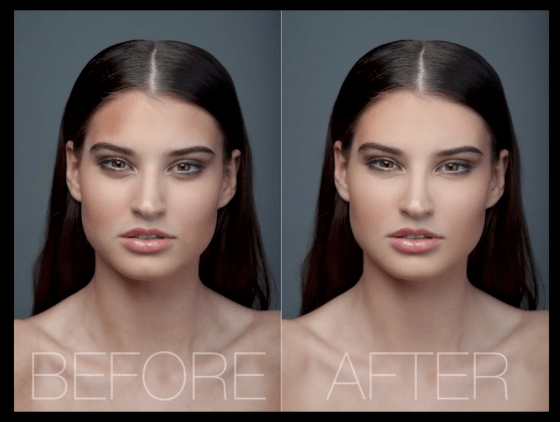
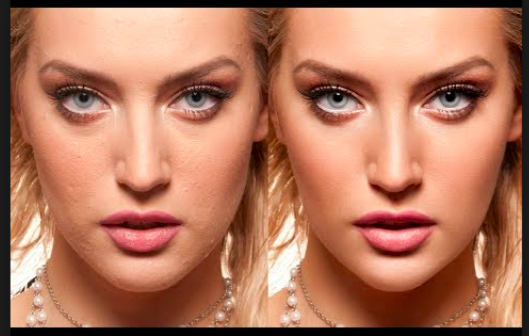
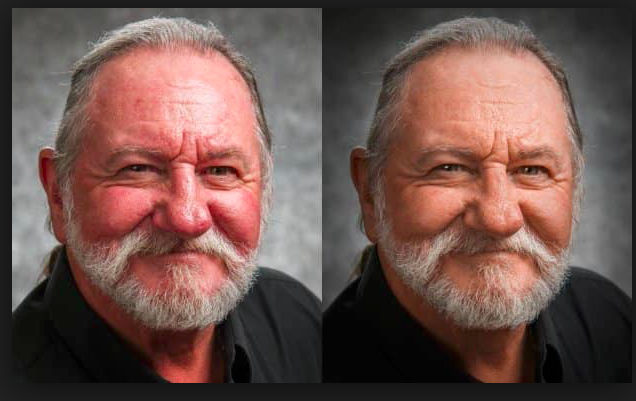
Transformation through Photoshopping an image is the current trend for all phone, amateur, glamour, fashion and indeed any type of photography. It is the ultimate transformation of a human being into an ultimate, media acceptable image. But there is a lot of argument around retouching and ethics.
THE ETHICS OF RETOUCHING
Retouching, often misnamed as “airbrushing” is the technique of smoothing out the skin in a way that is more of an aesthetic than reality. The frequency separation technique is a requested style often used in Glamour and Fashion photography. It’s used in “high end retouching” and not the kind of technique you would normally use on family portraits and corporate headshots. It’s a way to transform skin into a particular look that is sometimes required in retouching. Some people love this look and others dislike it. A good retouch is something that doesn’t look retouched. In certain situations, this isn’t true, some styles require it to look retouched and “too” perfect is what’s required. Its a great way to smoothen out skin and you can choose to use it as heavily or lightly as you wish.
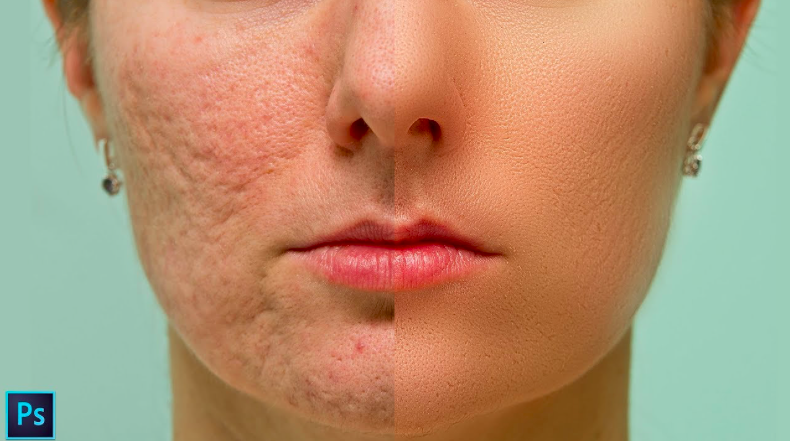
WHAT IS FREQUENCY SEPARATION
Basically it is taking a photograph on a layer and splitting it into 2 layers. One layer will hold all the detail and none of the color. The second layer will contain all the color, but not the detail. This way you can blur the colour and even out blemishes without affecting any of the details such as pores in the skin and wrinkles on the colour layer. On the detail layer you can reduce wrinkles and other detail blemishes without changing the colour and creating colour spots. Basically:
Frequency: High Frequency is the detail (think treble). Low frequency is the underlying color and form (think Bass).
Separation: Spilting, dividing etc. In this case splitting into 2 parts.
SURGERY
Editing an image using the Liquify Filter/Facial Reconstruction Features/Face Aware Liquify.
These are controls for each facial element such as jawline, eyes, lips, nose etc.
Can change the asymmetry (uneven eye size or eye tilt/nostril height etc. Use the dominant feature as your guide and ‘correct’ the other to match.
The ‘Forward Warp Tool’ allows you to nudge and move elements/features as if they were soft wax. Changing the size of brush selected will determine how large an area you will be moving around and you can mark an area for ‘protection’ using the Freeze tool, so that the brush does not inadvertently smudge or move a section you do not wish to be included.
The ‘Reconstruct Tool’ brush allows you to Paint an ‘undo’ over the areas that you wish to bring back into the picture (the Restore All button will restore all removed effects). This adding back may back the photos more real (think Robert De Niro’s lined face rather than Melania Trump’s photoshoot fact).

 The Bigger Picture